

How to Copy Trades Across Multiple Prop Firm Accounts
Learn how to efficiently copy trades across 5, 10, or 20+ prop firm accounts. Stop manual copying and start scaling your futures trading with trade copiers.
Introduction
You've passed your evaluations. Apex Trader Funding gave you five accounts. Topstep funded you with three more. Bulenox just approved two additional accounts. You're sitting on ten funded prop firm accounts, each with thousands of dollars in buying power. This is exactly what you worked for—the ability to scale your trading income.
But here's the problem nobody warns you about: managing ten accounts feels like having ten full-time jobs. You spot a perfect setup on the ES futures contract. You execute on account one. Switch to account two. Execute. Switch to account three. By the time you're on account five, the market has moved two ticks against you. Accounts six through ten? You either missed the entry entirely or got horrible fills.
One trader. One strategy. Ten accounts. It should be simple. Instead, you're spending more time clicking between trading platforms than actually trading. Your mental energy goes toward execution logistics instead of reading the market. And the worst part? One mistake—entering the wrong quantity, fat-fingering an order, or forgetting to set a stop loss on one account—can blow an entire funded account.
There's a solution that professional prop traders have been using for years: automated trade copying. In this comprehensive guide, we'll show you exactly how to use a prop firm trade copier to copy trades across multiple funded accounts efficiently, reliably, and automatically—so you can focus on trading instead of order execution.
📱 Now available on iOS and Android. Manage broker connections, copy rules, and positions from your phone. See the SyncFutures mobile app →
The Challenge of Managing Multiple Funded Accounts
The prop firm business model is brilliant for traders. Pass an evaluation, get funded, keep a percentage of your profits. But here's what makes it both exciting and overwhelming: most prop firms allow you to hold multiple funded accounts simultaneously.
Apex Trader Funding lets you have up to 20 accounts. Topstep allows multiple concurrent accounts. Bulenox, Take Profit Trader, My Funded Futures—they all permit multiple funded accounts under one trader. This is fantastic for scaling your income. Your $5,000 monthly profit from one account becomes $50,000 monthly profit from ten accounts trading the same strategy.
The math is simple. The execution is not.
The Problems with Manual Copying
If you've tried managing even three or four funded accounts manually, you've experienced these pain points:
Missed Entries
You see the perfect setup. You execute on your first account at 5250.00. By the time you've switched platforms and entered the trade on accounts four and five, the market has moved to 5250.75. You didn't change your strategy. You didn't make a bad trading decision. You simply couldn't execute fast enough across multiple accounts. The same entry signal resulted in completely different fills—and different P&L outcomes—purely because of execution delays.
Inconsistent Position Sizing
Account one has $50,000 in buying power. Account two has $150,000. Account three has $250,000. You need to trade different quantities on each account to match their sizes, but doing mental math in the middle of a fast market is how mistakes happen. You meant to trade 2 contracts on the small account but accidentally entered 4. Now you're over-leveraged and at risk of violating the prop firm's rules.
Time Waste
Your trading edge comes from reading markets, finding setups, and managing risk. None of your edge involves clicking the same buttons twenty times. Yet that's where your time goes when you're managing multiple funded accounts manually. An experienced trader can execute a trade in five seconds. Multiply that by ten accounts, and you've spent nearly a minute on execution alone—time the market doesn't give you.
Mental Fatigue
Trading is mentally demanding even with one account. Now multiply that cognitive load by ten. You're not just managing ten accounts; you're context-switching between ten separate trading platforms, ten separate order tickets, ten separate position displays. Every switch requires mental energy. Every repetitive order entry drains your focus. By the third hour of trading, you're not thinking about your next setup. You're thinking about whether you remembered to set a stop loss on account seven.
One Mistake Can Blow an Account
Here's the scariest part: when you're manually replicating trades across ten accounts, the probability of making a mistake approaches certainty. You enter a sell order on account one but accidentally enter another sell order on account two instead of closing the position. Now you have twice the intended position size. Or you set a stop loss five ticks away on nine accounts but forget the tenth account entirely. The market moves against you, and that one forgotten stop loss violation blows the account.
The Real Cost of Manual Execution
The math above — five accounts becoming a five-times larger income opportunity — only holds if execution keeps up. In practice, manual copying erodes that math in a few specific ways: setups you can't get to in time, worse fills on the accounts you reach last, and position-sizing mistakes made under time pressure. None of these show up as a single number on your statement — they're spread across every trade, which is exactly why they're easy to underestimate.
The size of the erosion depends entirely on your account count, trade frequency, and how fast you personally execute — there's no single figure that applies to every trader. For a closer look at where these costs actually come from, and a framework for estimating your own, see The Hidden Cost of Manual Trade Copying.
This is exactly why successful prop firm traders who scale to 10, 15, or 20 accounts all eventually adopt the same solution: automated trade copying.
What is Trade Copying?
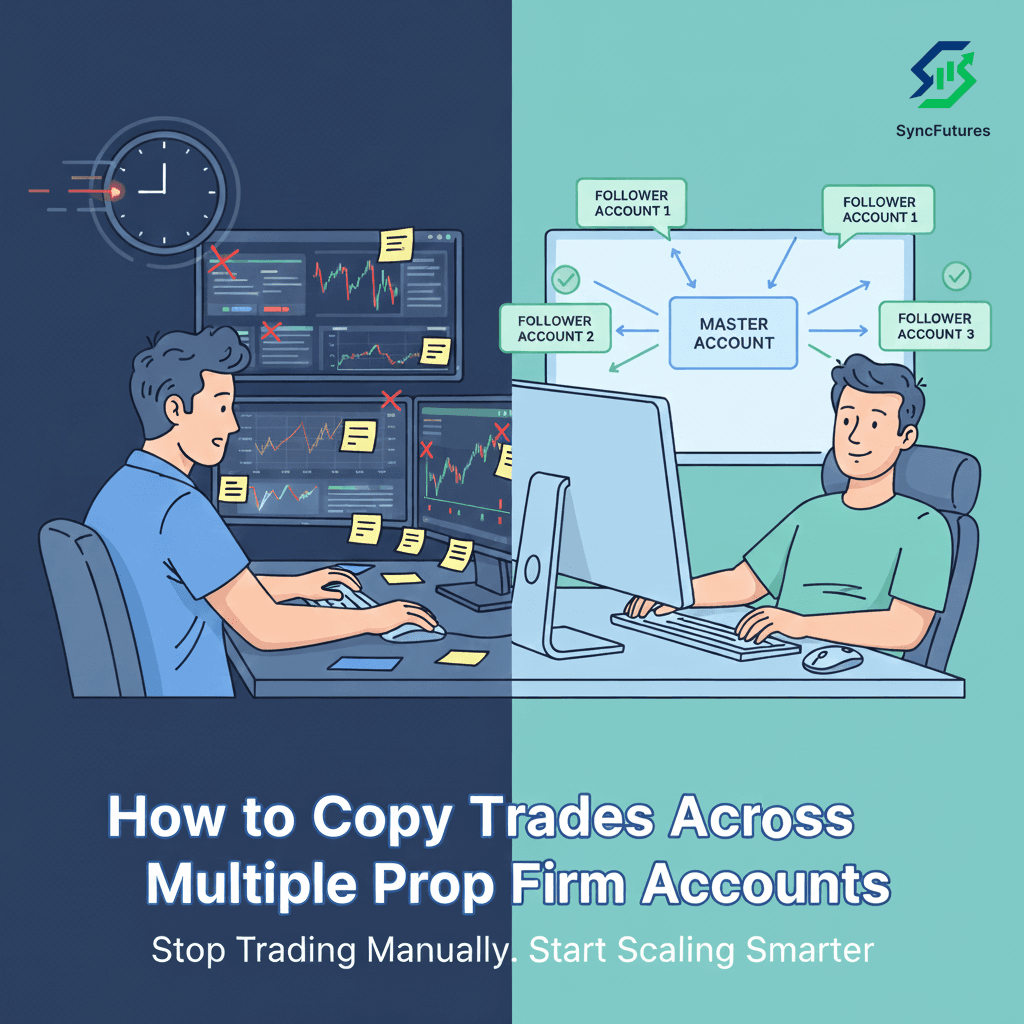
Trade copying is exactly what it sounds like: technology that automatically replicates trades from one master account to multiple follower accounts in real-time. You trade normally on your designated master account—the same way you've always traded. Meanwhile, the trade copier monitors that account and instantly replicates every action to your follower accounts.
How It Works
The concept is simple:
-
Master Account: You designate one funded account as your master. This is the account where you execute your trades manually, just like you normally would.
-
Follower Accounts: All your other funded accounts become followers. You don't trade on these accounts manually—they automatically copy everything that happens on the master.
-
Real-Time Replication: The trade copier sits between your master account and follower accounts, monitoring the master account for any activity. When you enter a trade, modify a stop loss, or exit a position on the master, the copier instantly replicates that action to all followers.
From your perspective, trading stays exactly the same. You focus on one account—the master. You read the market, identify setups, and execute trades on that single account. The technology handles everything else.
The Benefits
Execute Once, Replicate Everywhere
Take your trade on the master account. Watch it instantly appear on all ten follower accounts. No clicking, no manual copying, no delays. One decision, one execution, ten accounts synchronized.
Sub-Second Synchronization
Modern futures trade copiers like SyncFutures replicate trades in milliseconds. Your follower accounts receive and execute orders almost simultaneously with your master account. The result? Minimal slippage between accounts and consistent fills across your entire portfolio of funded accounts.
Consistent Position Sizing
The trade copier handles position sizing automatically. You set multipliers for each follower account based on its size. If your master trades 2 contracts:
- Your $50K account automatically trades 1 contract (0.5x multiplier)
- Your $150K account automatically trades 2 contracts (1x multiplier)
- Your $250K account automatically trades 4 contracts (2x multiplier)
You never think about position sizing again. The copier calculates and executes the correct quantity for each account automatically.
Comprehensive Risk Management
Stop losses copy automatically. Profit targets copy automatically. If you manually flatten your position on the master account because you're reading the market wrong, all follower accounts flatten simultaneously. Your risk management applies uniformly across all accounts without any extra effort.
More Time to Focus on Strategy
This might be the most valuable benefit: mental bandwidth. When you're not frantically clicking between ten platforms, you can focus entirely on what actually makes you money—reading the market, finding quality setups, and managing your positions. Many traders report that their actual trading performance improves after implementing trade copying, simply because they have more mental energy for analysis instead of execution logistics.
Step-by-Step: How to Copy Trades Across Prop Firm Accounts
Ready to stop manually copying trades? Here's the complete process for setting up automated trade replication across all your funded accounts.
Step 1: Choose a Trade Copier
Not all trade copiers are created equal, especially when it comes to prop firm accounts. Here's what you need to understand before choosing a solution.
Local vs Cloud-Based Trade Copiers
Traditional trade copiers are software applications that run on your computer or a VPS (Virtual Private Server). You download the software, install it, configure your connections, and keep your computer or VPS running 24/7 to maintain the copying service.
Cloud-based trade copiers like SyncFutures run entirely in the cloud. There's nothing to download or install. You configure everything through a web dashboard, and the copying infrastructure runs on cloud servers that are always on. Close your laptop, and your trades keep copying.
Why Cloud-Based Is Better for Prop Traders
For prop firm traders managing multiple accounts, cloud-based solutions offer critical advantages:
- No VPS required: You don't need to pay $30-50/month for a virtual server or worry about VPS maintenance and downtime
- No installation or configuration: Start copying trades within minutes, not hours
- Always-on reliability: Your trades copy 24/7 regardless of your internet connection or computer status
- Access from anywhere: Manage your copy rules from any device with a web browser
- Automatic updates: The platform improves continuously without requiring you to download new software versions
Must-Have Features for Prop Firm Trade Copying
Your trade copier must support:
- Broker compatibility: Tradovate, Rithmic, and NinjaTrader — the platforms most prop firms run on
- Demo environment support: Most funded prop firm accounts run on demo/sim environments, not live production environments
- Custom quantity multipliers: Different account sizes require different position sizes
- Real-time execution: Millisecond replication speed to minimize slippage
- Risk management features: Automatic stop loss copying, emergency position flattening
Step 2: Connect Your Accounts
Once you've chosen your trade copier, the next step is connecting all your funded accounts. The exact process varies slightly by broker, but the general flow is the same.
Supported Brokers for Prop Firms
The three main platforms used by prop firms are:
- Tradovate: Used by Apex Trader Funding, Take Profit Trader, Leeloo Trading, TradeDay, and others
- Rithmic: Used by Bulenox, My Funded Futures, Apex Trader Funding, Earn2Trade, and others
- NinjaTrader: Supported by various prop firms and individual brokers
SyncFutures supports all three platforms with seamless integration. You can mix and match—your master account could be on Tradovate while some follower accounts are on Rithmic and others on NinjaTrader.
Master vs Follower Account Setup
When connecting your accounts, you'll designate roles:
Master Account: This is the account where you'll trade manually. Choose your master account based on:
- Your preferred trading platform
- Your largest account (some traders prefer this)
- Your most comfortable interface
Many traders choose their largest funded account or their primary platform as the master, but the choice is entirely up to you.
Follower Accounts: All other accounts become followers that automatically copy the master. You'll connect each follower account and configure its copy settings (we'll cover this in Step 3).
Important: Select the Correct Environment
This is critical: most prop firm funded accounts run on demo/sim environments, not live environments.
When you connect a funded account from Apex, Topstep, Bulenox, Take Profit Trader, or similar prop firms, you're almost certainly connecting to the broker's demo environment. From the broker's perspective (Tradovate, Rithmic, etc.), these are simulation accounts—even though you're trading for real payouts from the prop firm.
If you try to connect these accounts as "live" environments, the connection will fail. Always select "demo" or "simulation" when connecting funded prop firm accounts.
For detailed platform-specific instructions:
- Tradovate: See our complete guide to connecting Tradovate to a trade copier
- Rithmic: See our complete guide to connecting Rithmic to a trade copier
Step 3: Configure Risk Settings
After connecting your accounts, you'll configure how trades copy from master to followers. This is where you set up position sizing, risk limits, and copy rules.
Position Size Multipliers
Each follower account needs a multiplier that determines how many contracts it trades relative to the master account.
Example setup:
- Master: Apex 150K account (you trade 2 contracts)
- Follower 1: Apex 50K account (0.5x multiplier = 1 contract)
- Follower 2: Apex 50K account (0.5x multiplier = 1 contract)
- Follower 3: Topstep 100K account (1x multiplier = 2 contracts)
- Follower 4: Bulenox 250K account (2x multiplier = 4 contracts)
Set these multipliers once, and the trade copier automatically calculates the correct position size for each account on every trade.
Stop Loss and Profit Target Copying
Configure whether you want the trade copier to replicate stop losses and profit targets automatically. Most traders enable full replication—when you set a stop loss on your master account, all followers receive the same stop loss (adjusted for any price differences if you're trading different instruments).
Symbol Filtering
If you only want to copy specific futures contracts, configure symbol filtering. For example, you might only want to copy ES and NQ trades, not every contract you trade on the master account.
Step 4: Test with Demo Accounts First
Before risking your funded accounts, test the entire setup with demo accounts.
Why Testing Is Critical
Trade copying involves multiple systems communicating in real-time: your trade copier, your master broker, your follower brokers. Testing ensures:
- All connections are stable
- Replication happens in milliseconds
- Position sizing multipliers are configured correctly
- Stop losses copy as expected
- You understand how to use emergency position flattening
How to Test
- Connect demo accounts on the same brokers you'll use for funded accounts
- Set up copy rules identical to your intended funded account setup
- Place small test trades (one micro contract) on the master
- Verify trades replicate to all followers within milliseconds
- Test stop loss modifications, partial exits, and full position flattening
- Verify your emergency stop button closes all positions across all accounts
What to Check During Testing
- Latency: Measure the time between master execution and follower replication. It should be measured in milliseconds.
- Fill prices: Compare fills across accounts. Some variation is normal (1-2 ticks), but large discrepancies indicate a problem.
- Quantity accuracy: Verify each follower account trades the correct number of contracts based on its multiplier.
- Stop loss replication: Confirm that stop losses copy correctly and trigger on follower accounts if hit.
Step 5: Go Live
Once you've tested thoroughly with demo accounts and verified everything works correctly, you're ready to go live with your funded prop firm accounts.
Start with Small Positions
For your first few live trades with the copier enabled:
- Trade one contract on the master (not your normal position size)
- Verify replication works exactly as it did in testing
- Check fills, position sizes, and stop losses on all follower accounts
- Close the position and verify all accounts close simultaneously
Monitor the First Few Days
During your first week of live copying:
- Check your Control Room frequently to monitor all accounts
- Verify that all accounts are executing as expected
- Pay attention to fill prices and replication speed
- Monitor position sizes and stop loss replication
Scale Up Gradually
Once you've confirmed reliable replication over several days:
- Increase to your normal position sizes
- Enable copying on all your funded accounts (if you started with just a few)
- Trust the system, but continue monitoring
Most traders report that after the first week, they rarely check individual follower accounts—they just trade their master account and trust the copier to handle the rest.
Best Practices for Prop Firm Trade Copying
You've got your accounts connected and your trade copier configured. Here's how to use it effectively while staying within prop firm rules and maximizing your edge.
1. Always Respect Prop Firm Rules
Most prop firms explicitly allow trade copiers—they consider them professional tools for scaling, not prohibited automation. However, rules vary by firm, so always verify.
What Trade Copiers Are (Allowed)
A trade copier replicates your manual trading decisions across multiple accounts. You're still making every trading decision—entry timing, stop loss placement, exit strategy. The copier simply handles the mechanical task of replicating those decisions to multiple accounts simultaneously.
What Trade Copiers Are Not (May Be Prohibited)
Trade copiers are not automated trading bots or algorithmic systems that trade without human input. You must make every decision manually on your master account.
Check Your Specific Prop Firm's Rules
Most major prop firms allow trade copiers but if you're unsure, contact your prop firm's support team and ask explicitly: "Can I use a trade copier to replicate my manual trades across my multiple funded accounts?"
2. Use Proper Position Sizing
The ability to set different position sizes across accounts is powerful—but also risky if configured incorrectly.
Match Position Size to Account Size
Your position sizing should be proportional to each account's buying power. A simple formula:
Follower Multiplier = (Follower Account Size / Master Account Size)
Example:
- Master: $150K account
- Follower: $50K account
- Follower multiplier: 50K / 150K = 0.33x
If you trade 3 contracts on the master, the follower will trade 1 contract (3 × 0.33 = 1).
Don't Over-Leverage
Just because you can trade larger position sizes across more accounts doesn't mean you should. Your risk per trade should remain consistent with your proven strategy. If you normally risk 1% per trade on a single account, maintain that 1% risk per trade across all accounts—don't increase it to 2% or 3% just because you're scaling.
Account for Different Prop Firm Rules
Different prop firms have different daily loss limits, trailing thresholds, and maximum position sizes. Configure your multipliers to respect the strictest rules across all your accounts, and monitor your daily losses closely to avoid violations.
3. Monitor All Accounts Daily
Automated trade copying doesn't mean "set it and forget it." You still need to monitor your accounts regularly.
Daily Monitoring Checklist
- Connection status: Verify all accounts show "Connected" in your Control Room
- Position synchronization: Confirm all accounts have matching positions
- P&L tracking: Review profit and loss across all accounts
- Daily losses: Manually track how close each account is to its prop firm's daily loss limit
- Broker balances: Verify account balances match expected values
SyncFutures provides a real-time Control Room dashboard that displays all this information in one place, making daily monitoring quick and easy.
Set Up Alerts
Configure notifications for critical events:
- Account disconnections
- Daily loss limits approached
- Position size discrepancies
- Failed order executions
Immediate alerts let you address problems before they become account-blowing mistakes.
4. Keep Master Account Consistent
Your master account is the source of truth for all follower accounts. Keep it clean and consistent.
Don't Override Trades on Follower Accounts
Once you've designated an account as a follower, stop trading manually on that account. Let the copier handle all execution. Manually entering trades on a follower account creates inconsistencies and can confuse the copier about what should be copied.
Trade Only on the Master
This might seem obvious, but it's worth repeating: make all trading decisions on your master account only. Never trade on a follower account directly.
If You Need to Override
Sometimes you need to manually adjust a specific follower account (maybe one account needs a different stop loss due to a unique situation). If you must override:
- Temporarily disable copying for that specific account
- Make your manual adjustments
- Re-enable copying when positions are flat
5. Use Risk Management Features
Modern trade copiers include powerful risk management tools. Use them.
Emergency Position Flattening
Your trade copier should include a panic button that closes all positions across all accounts instantly. If the market moves violently against you or you need to close everything immediately, one click flattens your entire portfolio across 10, 15, or 20 accounts in seconds.
Know where this button is before you need it.
Manual Risk Monitoring
While trading, actively monitor your daily losses on each account. Most prop firms have daily loss limits that vary by account size (typically a percentage of your account balance or a fixed dollar amount). If an account approaches its limit, you may need to manually disable copying for that specific account to prevent violations while continuing to trade on your other accounts.
Common Mistakes to Avoid
Even experienced traders make these mistakes when first implementing trade copying. Learn from others' errors.
Mistake 1: Copying to Too Many Accounts Without Testing
The excitement of having ten funded accounts makes traders want to enable copying on all of them immediately. Bad idea.
Why This Is a Mistake
If there's a configuration error—wrong position sizing, incorrect symbol mapping, misconfigured stop losses—that error will affect all accounts simultaneously. What would blow one account will blow ten accounts.
The Right Approach
Start with one or two follower accounts. Trade for several days. Verify everything works perfectly. Then add two more accounts. Verify again. Scale up gradually until all accounts are copying reliably.
Mistake 2: Not Checking Prop Firm Rules First
"I assumed trade copiers were allowed" is not a good explanation when a prop firm asks why you're using one.
Why This Is a Mistake
Different prop firms have different rules about automation and trade copying. While most allow it, some may have specific guidelines or restrictions you need to follow.
The Right Approach
Before connecting any funded account to a trade copier:
- Read your prop firm's terms of service
- Search their FAQ or knowledge base for "trade copier" or "automation"
- Contact support and ask explicitly if trade copying is permitted
- Keep a record of their response
Five minutes of research prevents account termination.
Mistake 3: Ignoring Latency Issues
You set up your trade copier. Trades are copying. Everything seems fine. But you're not checking replication speed.
Why This Is a Mistake
If trades are taking 5-10 seconds to replicate instead of milliseconds, your follower accounts are getting filled at significantly worse prices than your master account. This slippage costs you money on every trade—and might cause some follower accounts to violate daily loss limits even when your master account is profitable.
The Right Approach
Regularly check replication speed:
- Watch the timestamps on master and follower executions
- Calculate the delay between master entry and follower entries
- If replication is taking more than 1-2 seconds, investigate the cause
Cloud-based copiers like SyncFutures typically maintain millisecond replication speeds consistently.
Mistake 4: Forgetting to Adjust Position Sizes Per Account
You set up your multipliers once during initial configuration. Then one of your accounts grows from $50K to $100K after a good trading month. You never updated the multiplier.
Why This Is a Mistake
That account is now under-leveraged relative to its size—or if account balances decreased, it might be over-leveraged. Either way, you're not trading optimally across all accounts.
The Right Approach
Review and adjust position size multipliers monthly:
- Check each account's current balance
- Recalculate appropriate multipliers based on new balances
- Update your copy rule settings
- Test with a small trade to verify new multipliers work correctly
Mistake 5: Not Using Stop Losses on Follower Accounts
You always use stop losses on your master account. But you didn't configure the copier to replicate stop losses—maybe you thought you'd manually add them to follower accounts, or maybe you forgot entirely.
Why This Is a Mistake
If your master account's stop loss gets hit, the master position closes. But your follower accounts don't have stop losses, so their positions remain open. The market continues moving against you, and those follower accounts start violating daily loss limits.
The Right Approach
Always configure your trade copier to replicate stop losses automatically. When you set a stop on the master, all followers should receive the same stop (adjusted for any symbol differences).
Test this during your demo testing phase. Place a trade, set a stop, let the market hit the stop, and verify that all accounts closed the position.
How SyncFutures Solves This Problem
We built SyncFutures specifically for prop firm traders who need to manage multiple funded accounts without the operational overhead of manual execution.
100% Cloud-Based
No software to download. No VPS to maintain. No installation or configuration headaches. You sign up, connect your accounts through a web dashboard, configure your copy rules, and start trading. The entire copying infrastructure runs on cloud servers that are always on. Close your laptop, and your trades keep copying.
Millisecond Synchronization
Speed matters in futures trading. When you execute on your master account, SyncFutures replicates that trade to all follower accounts in milliseconds. This means minimal slippage between accounts and consistent fills across your entire portfolio—even in fast-moving markets.
Works with Tradovate, Rithmic & NinjaTrader
The three platforms used by virtually all prop firms are fully supported. Your master account could be on Tradovate while some followers are on Rithmic and others on NinjaTrader. SyncFutures handles cross-platform replication seamlessly.
For detailed connection guides:
Built Specifically for Prop Firm Traders
Unlike generic trade copiers built for retail brokers, SyncFutures understands the unique requirements of prop firm trading:
- Full demo environment support: Because most funded accounts run on demo/sim environments
- Position size multipliers: Configure different quantities for different account sizes
- Real-time monitoring: See all your accounts in one dashboard with live P&L tracking
- Emergency position flattening: Close all positions across all accounts with one click
- Automatic stop loss replication: Risk management copies automatically to all accounts
Risk Management Features Built-In
Professional risk management tools are included with every plan:
Automatic Position Sizing Configure multipliers once, and never think about position sizing again. The system automatically calculates the correct number of contracts for each follower account based on its size.
One-Click Emergency Stop The "Flatten All Positions" button closes every position across every account instantly. If you need to exit the market immediately, one click handles all accounts in seconds.
Real-Time Connection Monitoring Know instantly if an account disconnects. SyncFutures monitors all connections in real-time and alerts you to any issues before they affect your trading.
Simple Setup, Powerful Features
One-Click Account Connection Connect Tradovate accounts via secure OAuth authentication. Connect Rithmic accounts by entering your credentials. Add NinjaTrader accounts through the NinjaTrader connection protocol. Every connection is encrypted and secure.
Real-Time Control Room Dashboard See all your accounts in one place. Current positions, P&L, connection status, daily losses—everything you need to monitor your entire portfolio of funded accounts from a single screen.
Scale With Your Trading SyncFutures offers plans for every stage of your trading journey—from the Starter plan with 3 broker connections to the Ultimate plan with unlimited connections and support for up to 200 accounts. Choose the plan that fits your needs and upgrade as you grow.
Automatic Position Sizing Set it once, forget it forever. Your multipliers ensure each account trades the appropriate position size based on its buying power, automatically.
7-Day Free Trial
Test SyncFutures with your actual funded accounts before committing. The trial includes full access to all features—real-time copying, emergency position flattening, automatic stop loss replication, the complete platform. See how it works with your actual prop firm accounts, your actual trading style, and your actual positions.
Start your free trial today and experience automated trade copying designed specifically for prop firm traders.
Conclusion
Managing multiple prop firm funded accounts manually doesn't scale. What works fine with two or three accounts becomes impossible with ten or fifteen. Missing entries, inconsistent fills, position sizing errors, and mental fatigue aren't signs that you're a bad trader—they're signs that you're trying to solve a technology problem with manual effort.
The solution is simple: automate the execution while you focus on the strategy.
A professional prop firm trade copier like SyncFutures lets you trade normally on one master account while technology handles replication to all your follower accounts in milliseconds. You maintain complete control over every trading decision—entry, exit, stop placement, position management. The copier simply eliminates the mechanical task of entering the same order ten times.
The benefits are immediate:
- Execute once, replicate everywhere
- Millisecond synchronization for consistent fills
- Automatic position sizing based on account size
- Built-in risk management with stop loss replication
- More mental energy for trading instead of execution logistics
Whether you're managing five Apex accounts, ten Topstep accounts, or twenty accounts across multiple prop firms, the operational complexity stays the same. You trade your master account like you always have. Technology handles the rest.
Ready to stop copying trades manually?
Try SyncFutures free for 7 days and experience professional-grade trade copying designed specifically for Apex, Topstep, Bulenox, Take Profit Trader, and other prop firm funded accounts.
Want to learn more first? Explore our features page or read our detailed guides on connecting Tradovate and connecting Rithmic to see exactly how the platform works.
Your trading strategy earned you those funded accounts. Now let SyncFutures help you scale that strategy across all of them—efficiently, reliably, and automatically.