

How to Journal Futures Trades Across Multiple Prop Firm Accounts
If you're manually logging trades across 3+ prop firm accounts, there's a better way. Here's how a trade copier makes multi-account futures journaling automatic.
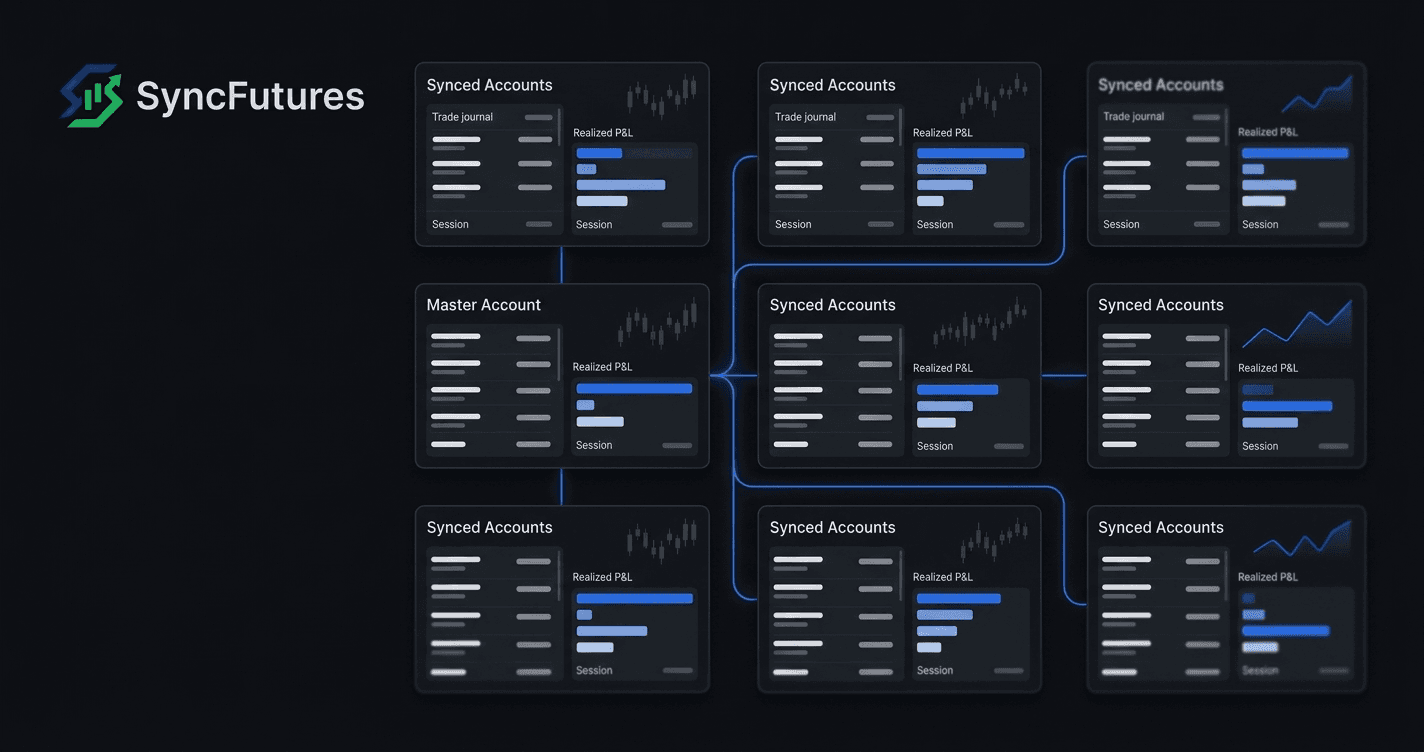
Running three prop firm evaluation accounts and manually logging each trade into a spreadsheet is the wrong workflow. Not because journaling is bad — it's one of the highest-leverage things a serious futures trader can do — but because if you're managing multiple accounts, the manual part is avoidable.
This guide explains how cross-broker copy trading changes the multi-account journaling equation, and what you actually get to see in the data when all your fills land in one place automatically.
The Manual Multi-Account Journaling Problem
Traders running two or three funded accounts often fall into this routine:
- Place the trade on the primary account.
- Place the same trade on accounts two and three.
- Log the fills in a spreadsheet (or three separate broker dashboards).
- Reconcile at end-of-week to calculate net P&L across accounts.
This works — until you're running four or five accounts, across different brokers, with different size multipliers. At that point, the logging overhead compounds. Tradovate fills first. Rithmic a beat later. The sizes don't match because you're sizing manually. By the time you export CSVs and cross-reference fills, you've spent more time on record-keeping than on reviewing what the trades actually showed.
The other problem: manual multi-account logging doesn't tell you much about how your execution differs across accounts. You see P&L, but the comparison data — same trade, different sizes, what happened at exit — is buried in the math.
How Copy Trading Simplifies Multi-Account Journaling
A trade copier changes the upstream problem. Instead of placing the same trade multiple times, you place it once on a master account and the copier mirrors it to every slave account, with size adjustments applied per rule.
The downstream effect on journaling: every fill is captured automatically. You don't log anything by hand. Your fills are pulled from each broker connection and rolled into the journal at the end of each trading day, with real broker fees applied on Tradovate, NinjaTrader and ProjectX. (Live realized P&L on the dashboard updates continuously; the journal is the end-of-day record.)
In SyncFutures, this works across brokers. A Tradovate master account can feed a Rithmic slave and a second Tradovate slave simultaneously. The journal tracks all three, and realized P&L across every connected account rolls up into one dashboard.
What you stop doing: manual entry, CSV imports, end-of-session reconciliation across platforms.
What you gain: a clean record of every session, across every account.
What the Journal Shows You
Once copy trading is running, the journal data starts building on its own. A few weeks in, you typically have:
Per-account realized P&L — broken down by session and day, so across multiple accounts you can see how each one performed over the same period.
Session, symbol and date filters — the journal filters by trading session (Asia, London, NY), by symbol and by date range, so you can compare the same window across accounts.
Auto-tagged mistakes — trades are tagged automatically for behavioural patterns: revenge trading, tilt and overtrading. You can dismiss a tag you disagree with.
Real broker fees — on Tradovate, NinjaTrader and ProjectX accounts, trades are enriched with the actual commissions and exchange fees charged, so the P&L reflects what you kept rather than the gross number. Rithmic accounts currently journal gross P&L; fee enrichment for Rithmic isn't live yet.
The Comparison Data You Didn't Plan For
One thing that shows up in the journal data when you copy trades to multiple accounts at different size multipliers: you end up with a natural comparison experiment you didn't design.
Same trade. Same entry timing. Different account sizes. The only variable is the multiplier.
Because entry and timing are identical by construction, any difference in outcome between those accounts comes down to size and to how you managed the position — something a single-account setup can't isolate.
This isn't a designed feature of the journal. It's a side effect of copy trading that leaves you with comparable data. If you're already running multiple eval accounts, it's a reason to think about what multiplier you set on each one rather than copying at 1x across the board.
Setting Up Multi-Account Journaling in SyncFutures
Here's the practical flow:
Step 1: Connect your accounts
Go to the Accounts section in SyncFutures (web or mobile) and add each broker connection:
- Tradovate: connects via OAuth2 — authorize through Tradovate, no password entry. Select Live or Demo environment based on your account type. Most prop firm evaluation accounts run on Demo.
- Rithmic: credentials login — username, password, and your Rithmic system name (provided by your prop firm).
- NinjaTrader: also connects via Tradovate's OAuth2 flow (NinjaTrader runs on Tradovate infrastructure).
- ProjectX: username and API key, plus prop firm selection (e.g. TopstepX).
Step 2: Create a copy rule
Set one account as the master and add the others as slaves. For each slave, set:
- Quantity multiplier — 0.1x to 100x. Set each slave at the multiplier appropriate for that account's size relative to the master.
- Symbol filter — pin the rule to the specific contract you're trading (e.g.
ESZ6,NQZ6). One rule can feed multiple slave accounts simultaneously; you update the symbol once per rule at quarterly rollover, not per slave.
Step 3: Trade
From this point, trade on the master. Every fill copies to the slaves, at the multiplier you set. The journal picks up the day's fills automatically after the close — you don't touch anything. There's also a Sync Trades button if you want them pulled in sooner.
Step 4: Review
The journal dashboard shows realized P&L per account and in aggregate. You can filter by session, day, contract, or date range. The Synca AI coaching add-on ($14/mo) takes the journal data further — it builds a profile of your trading broken down by symbol, day of week, hour of the day and trading session, and writes insight cards that explain what those numbers show.
Plans and Trial
SyncFutures is connection-based pricing — all plans include the same features, only the number of broker connections differs:
| Plan | Connections | Price |
|---|---|---|
| Starter | 3 | $39/mo |
| Professional | 5 | $89/mo |
| Ultimate | Unlimited (up to 200 accounts) | $129/mo |
All plans include a 7-day free trial. See full details at syncfutures.com/pricing.
Frequently Asked Questions
Does the journal track open/unrealized P&L?
No — SyncFutures tracks realized P&L only. This is intentional: cross-broker parity matters, and not all broker APIs provide unrealized P&L data consistently. The journal shows what you actually made when positions closed.
Can I journal accounts from different brokers in the same view?
Yes. SyncFutures aggregates realized P&L from all connected accounts — Tradovate, Rithmic, NinjaTrader, ProjectX — in a single dashboard view.
Does the journal enforce my prop firm's drawdown rules?
No. SyncFutures does not auto-close positions, auto-flatten on a breach, or enforce any prop firm rule automatically. The daily and weekly loss limits you can set are journal goals — they show as progress against the limit you set, alongside your daily, weekly and monthly targets. Nothing is enforced by the software.
Does the journal handle rollover automatically?
Copy rules in SyncFutures are pinned to a specific contract symbol (e.g. ESZ6). At quarterly rollover, you update the symbol in the copy rule once — it applies to all slaves simultaneously. The journal continues capturing fills on the new contract from that point. There's no automatic rollover; it's a manual 30-second update at the start of each roll week.
What's the difference between the journal and Synca?
The journal is included in every SyncFutures plan — it automatically captures and stores your trade data. Synca ($14/mo add-on) sits on top of the journal and computes structured analysis: win rate and net P&L by symbol, day of week, hour and session, plus AI insight cards that explain what the numbers mean in plain language.
If you're already running multiple prop firm accounts, take a look at how to manage multiple funded futures accounts for the broader setup workflow, or visit syncfutures.com/pricing to start a 7-day free trial.